 English
home  products resource tuner tutorials
Resource Viewer: How To Extract All Resources At Once
Resource Tuner takes the drudgery out of manual repetitive tasks, enabling you to extract and save to disk multiple resources at once.
1. Press the Save Multiple Resources at Once button.
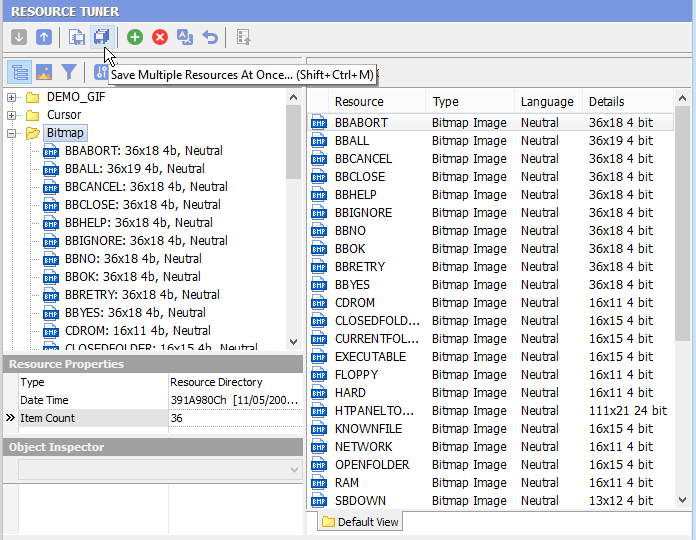
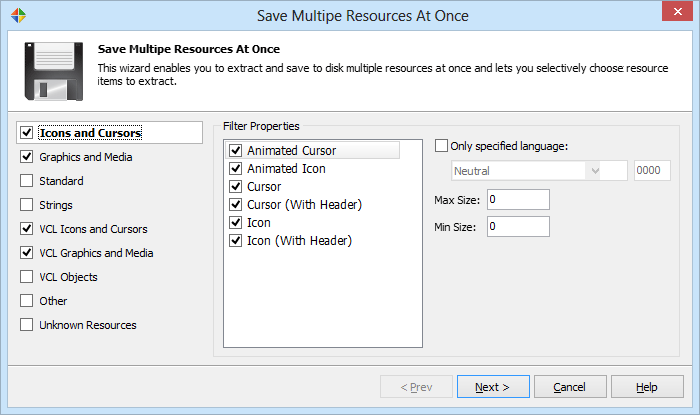
2. You will be prompted to check the types of resources to save:
3. The second page lets you specify the default output folder for saved resource files, along with sorting and naming options. By examining the information for each image file, Resource Tuner is able to extract the width, height and color depth, convert it into a filename-friendly format, and then assemble the file name from the resource name, size, and a stepping file counter.
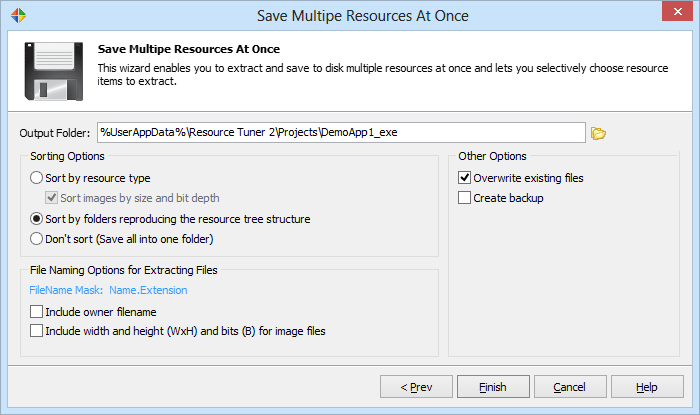
3. Press Finish, and you are done!
Start Tuning Your Applications Now!
 Give Resource Tuner a trial run for 30 days free! Once you try it, we think you will find it hard to go back to other resource hacking utilities. For maximum editing and inspecting power, purchase a Personal license now for $49.95. The Business license is available for $89.95.