 English
home  products pe explorer feature tour
EXE IMPORT VIEWER
What An Executable File Imports
 Imports are functions used by one program to link to code libraries the contains the required functionality and are stored in different programs.
The EXE Import Viewer presents details about the linked libraries, showcasing the list of functions that the executable file imports, and the specific Dynamic Link Libraries (DLLs) from which the program imports these functions. This information is essential for understanding how a program interacts with external code and libraries to achieve its required functionality.
See also:
 How do I get parameters on function exports?
DLL Export Viewer
Delay Import Viewer
Function Syntax Lookup
Retrieve the List of Imported Functions
When the program file is loaded, the operating system finds a table of data in the file which contains the list of functions the program is going to use from the DLL. It uses the information to search the DLLs for the addresses of the functions to be patched into the main program. Names of these Windows functions can give you a proper idea of what the executable does.
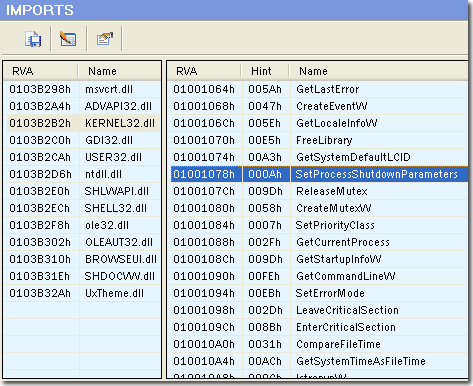
LEFT PANE
RVA — Address of ASCII string containing the DLL name. This address is relative to the Image Base.
Name — Name of the DLL in which the imported functions reside.
RIGHT PANE
RVA — RVA of an array of of 32-bit numbers for PE32, 64-bit for PE32+. The collection of these entries describes all imports from the image to a given DLL.
Hint — Index into the Export Table of the DLL the function resides in.
Name — Function names.
IMPORT PROPERTIES
Name Table — RVA of the string that must be matched to the public name in the DLL.
Time Date Stamp — Set to zero until bound; then this field is set to the 'TimeDateStamp' of the exporting DLL's 'FileHeader'.
Forwarder Chain — The 32-bit index of the first forwarder in the list of imported functions.
RVA — Address of ASCII string containing the DLL name. This address is relative to the Image Base.
Address Table — Relative virtual address of the Import Address Table.
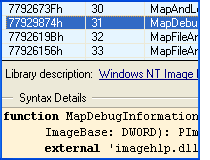
See Quick Function Syntax Lookup for calling syntax of imported functions.


Download a 30 day trial version of PE Explorer Buy the Full Version