 English
 I have tried quite a number of hex editors and consider FlexHEX to be the best, all things considered. I would highly recommend it to anyone who needs a good hex editor.
FlexHex Editor Screenshots
Hex Editor Window
The FlexHEX edit window is divided into the Address pane and three editing panes – the Hex pane and the optional ANSI and UNICODE panes.
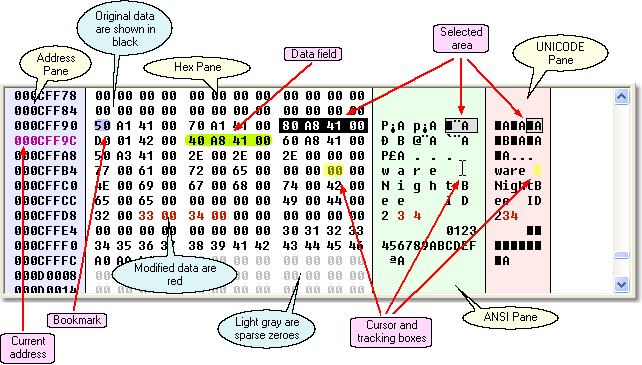
The Hex pane and the optional ANSI and UNICODE panes display the data being edited. All of them represent the same data, and are, in fact, just different views of the same data. Any change in one of the panes is immediately reflected in other panes.
Insert, Edit and Delete Hex Data
Editing a file with FlexHEX is simple: just point your mouse where you want to enter data, click the left mouse button to set the input caret there, and type in the data. Depending on the active editing pane the data will be entered as hex numbers, or as ANSI characters, or as UNICODE characters.
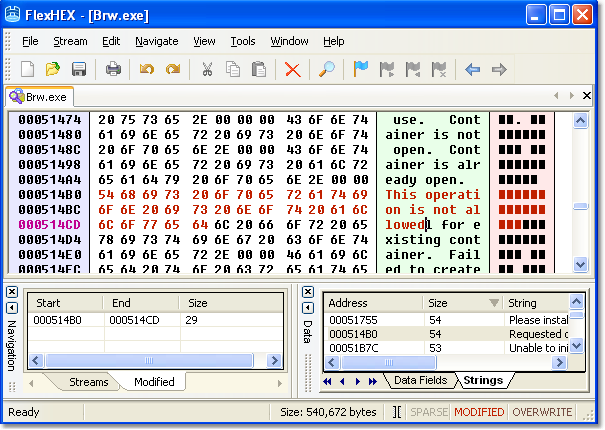
You may have noticed the Modified pane in the lower left part of the Hex Editor window. This pane lists all the areas that have been modified. Just click the Start or End address to go there; click the Size field to select the whole area.
Unlimited Multilevel Undo List
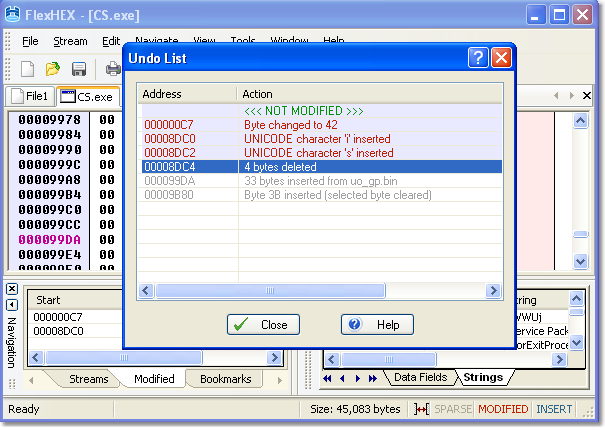
Another neat feature of FlexHEX Editor is Undo List. Every modification you made to the file is listed here. Just click the position to which you wish to undo or redo.
Quick Viewer: Inspecting Data
Using the integrated Quick Viewer is easy and straightforward: select the data you wish to inspect and point the mouse cursor at selected area.
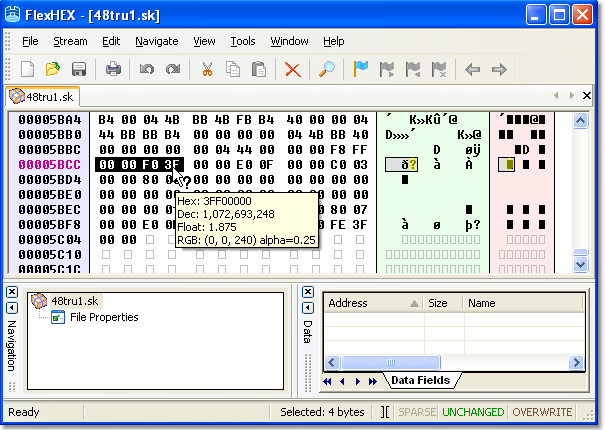
If the Quick Viewer knows any valid interpretation for the selected data, the mouse cursor will change to the arrow-with-question-mark, and the Viewer's window will pop up.
Navigation By Using Bookmarks
A bookmark is a feature that helps you save a quick reference to a specific point in a file. In addition to the usual bookmark commands (Toggle, Next, Previous), FlexHex includes the Bookmarks pane, which makes bookmarking even more convenient.
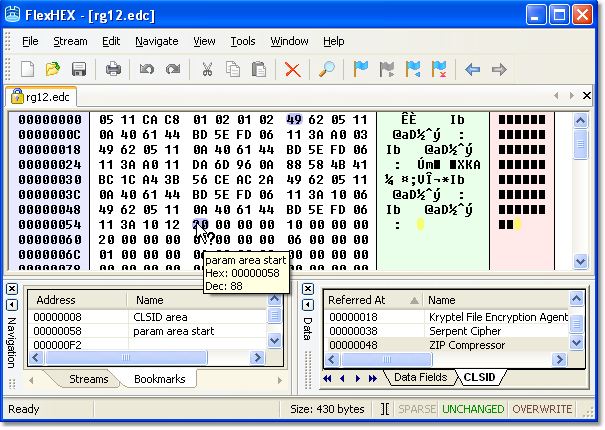
Bookmarks are grouped in the program window's left-hand Bookmarks pane, which makes them easy to manage. If you point the mouse cursor to a bookmark, the Quick Viewer will show its position and name if the bookmark is named.
Editing NTFS Alternate Streams
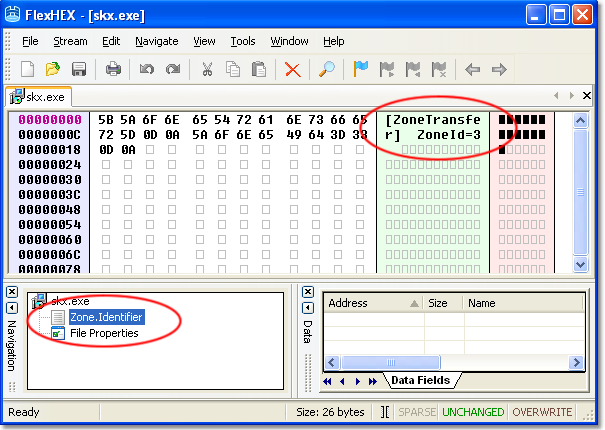
There is a lot of non-critical information that alternate streams is the most natural place to store to. FlexHex lets you see and edit this information.
User-defined Data Fields
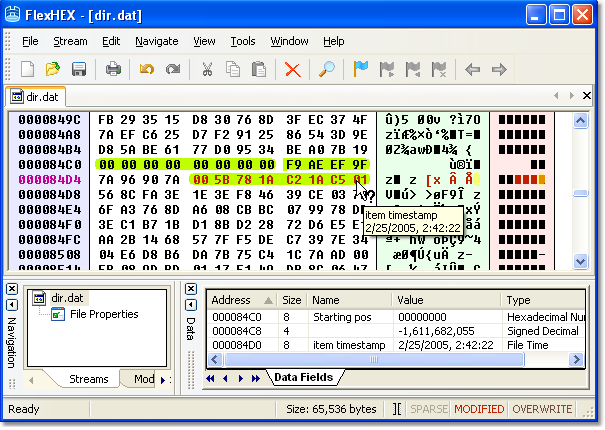
The Data Field pane lists all defined data fields and lets you navigate them quickly. Data field is simply a file area to which the user assigned a type and, optionally, a name.
Get Started with a 30-Day Free Trial

This software has no disabled features. Try out the full functionality of this hex editor with many advanced functions.