 English
home  products resource tuner console feature tour
Add or Replace Embedded Application Manifest XML Files
If you have problems with automatically injected manifest resources in your programs or installers, and would like to get rid of this problem once and for all, Resource Tuner Console is the solution.
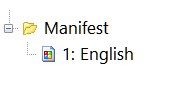 If you are disappointed by older applications using the outdated "chiseled 3D" look rather than the new Windows look, or you need to express the application's requested privileges and tell Windows to run the application elevated, you normally have to place a specially-named file in the same directory as the executable.
Resource Tuner Console offers a better solution by enabling you to inject the needed resource directly into the EXE file at the post-build stage.
Resource Tuner Console offers diverse options for editing Application Manifest entries in EXE, DLL, and CPL (Control Panel Applets) files. You can choose to either replace the existing manifest resource with an external .xml file or add a new manifest resource to an executable file that doesn't have one.
For instance, if you have a Wise InstallBuilder installer that requires a Windows User Access Control manifest, Resource Tuner Console allows you to effortlessly add the manifest. Once you've prepared the script for this task, you can reuse it repeatedly whenever you build your installation package, streamlining the process and ensuring consistent application behavior.
For greater detail, refer to the Edit Manifest sample script. It may be helpful to use this example as a template for your own scripts.
The description of the RTC script format and sample scripts can be found in the RTC Scripting Language Reference included in the Resource Tuner Console package.
See also:  Resource Tuner GUI: Application Manifest Wizard
SAMPLE SCRIPTS LIBRARY
Resource Tuner Console comes with the examples that explain basic functionality and demonstrate many of the features available in Resource Tuner Console. Once installed Resorce Tuner Console, you will find the Demo Scripts folder nested within the directory where RTC has been installed. Within this Demo folder, there are 12 subdirectories containing script examples and sample executable files.
All sample scripts are pre-configured and ready to run. To execute a sample script, simply select one of the .BAT files within the Demo folders. The script will apply changes to a test EXE file. The modified file will be generated in a directory named "Release", which will be located within the same directory containing the script.
Check out the samples to get an idea of what Resource Tuner Console can do for you.
The Complete Illustrated Step-by-Step Guide To Using Scripts
Have A Question?
Please check our FAQ section for answers to the most commonly asked questions.
If you have any questions about Resource Tuner Console, please contact us. We would love to get your feedback! Your opinion is of great use to us. This helps us focus our time on features people are really interested in.
Get Started with a 60-Day Free Trial
Download ResTuner Console and learn how it can make you more productive.
 Resource Tuner Console runs on all versions of Windows in use today: from 11 to XP, both 32-bit and 64-bit.