 English
home  products resource tuner console feature tour
Batch Change and Replace Text Strings in StringTables
Do you have to prepare multiple branded OEM versions of your software? Do you have to build a custom EXE file for each of your OEM partner? Then you simply can't afford to not be using this software.
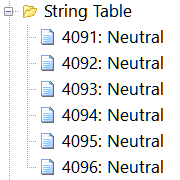 If you have to edit strings in multiple executables then you have probably dreamed of being able to automate this task and turn it into a quick job that is activated by just one click of the mouse. Resource Tuner Console does just that.
Resource Tuner Console replaces all the string resources of a medium-sized program within a second! In addition, Resource Tuner Console facilitates application localization by enabling the creation of a duplicate StringTable in another language. This feature streamlines the process of adapting your application for different language audiences.
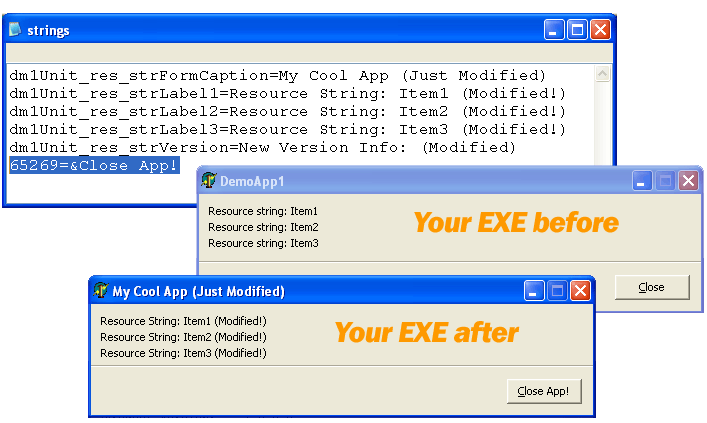
Resource Tuner Console offers a variety of options for editing StringTable and MessageTable entries, making customization a breeze. Whether the entries are filled or blank, you have the flexibility to:
- Add a new StringTable entry.
- Delete an existing entry.
- Replace an existing string with the specified language.
- Duplicate a StringTable in another language.
With these capabilities, Resource Tuner Console empowers you to efficiently manage StringTable and MessageTable entries to suit your application's requirements, simplifying the process of language-related content editing.
Resource Tuner Console fully supports Unicode. Strings to be replaced can be easily specified and stored, either within the script body or in an external Unicode text file.
For greater detail, refer to the Edit Strings sample script. This example serves as an excellent starting point, offering a template to create your custom scripts tailored to your specific string replacement needs.
To delve further into the RTC script format and access additional sample scripts, consult the RTC Scripting Language Reference included in the Resource Tuner Console package.
SAMPLE SCRIPTS LIBRARY
Resource Tuner Console includes various examples that showcase its basic functionality and highlight the numerous features available. After installing Resource Tuner Console, you can explore these examples in the Demo Scripts folder, located within the installation directory. The Demo folder contains 12 subdirectories, each containing sample scripts and executable files.
All sample scripts are pre-configured and ready to run. To execute a sample script, simply select one of the .BAT files within the Demo folders. The script will apply changes to a test EXE file. The modified file will be generated in a directory named "Release", which will be located within the same directory containing the script.
These examples provide hands-on experience and demonstrate the capabilities of Resource Tuner Console effectively. Happy experimenting with Resource Tuner Console's powerful features!
Check out the samples to get an idea of what Resource Tuner Console can do for you. Embrace the power of Resource Tuner Console and revolutionize your string editing tasks, making them quicker and more efficient than ever before.
 The Complete Illustrated Step-by-Step Guide To Using Scripts
Have A Question?
Please check our FAQ section for answers to the most commonly asked questions.
If you have any questions about Resource Tuner Console, please contact us. We would love to get your feedback! Your opinion is of great use to us. This helps us focus our time on features people are really interested in.
Get Started with a 60-Day Free Trial
Download ResTuner Console and learn how it can make you more productive.
 Resource Tuner Console runs on all versions of Windows in use today: from 11 to XP, both 32-bit and 64-bit.