 English
 I tried using mt.exe [from MS Visual Studio] to manifest my files. It worked on some but not on others. It seems your method of parsing the .EXE is more robust than the one that mt.exe uses.

home  products resource tuner feature tour
UAC Manifest Tool: Application Makeover
Incorporate Application Manifest with Trust Level Information Section into your applications.
Another neat feature of Resource Tuner is its ability to generate an application User Account Control (UAC) manifest — an extension to Microsoft's common controls library. By utilizing this manifest, your application gains access to visual styles present in Windows.
Additionally, the Windows application manifest has been enhanced with attributes that allow developers to specify a requested execution level for their applications.
The wizard allows you to add a trustInfo section and insert the Require Administrator information into it so that the application would be forced to run elevated as an Administrator on Windows Vista, providing the application the same operational behavior as in Windows XP. A modified exe should still work correctly on prior Windows operating systems.
While adding the trustInfo is not mandatory, it comes highly recommended. Doing so ensures that your .exe file always obtains the correct version, regardless of whether the operating system is Windows 10/11, Windows 8.1, or Windows 8.
Below is a comparison of how the common controls for a regular application appear on Windows before and after a manifest has been inserted:
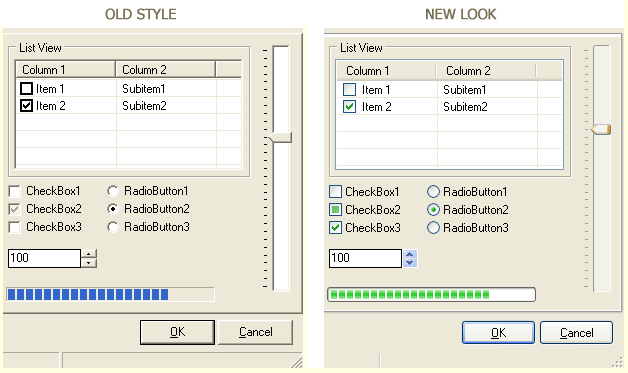
Typically, if you want to enhance an application's visual styles and lack access to the source code, you would need to place a specially-named .XML file in the same directory as the executable.
Resource Tuner offers a more convenient solution. With just a few clicks, you can directly inject the required resource into the EXE file, making your application visually styled without the need for additional files.
To begin the process in Resource Tuner, open your file and click on the Add Resource button in the toolbar:
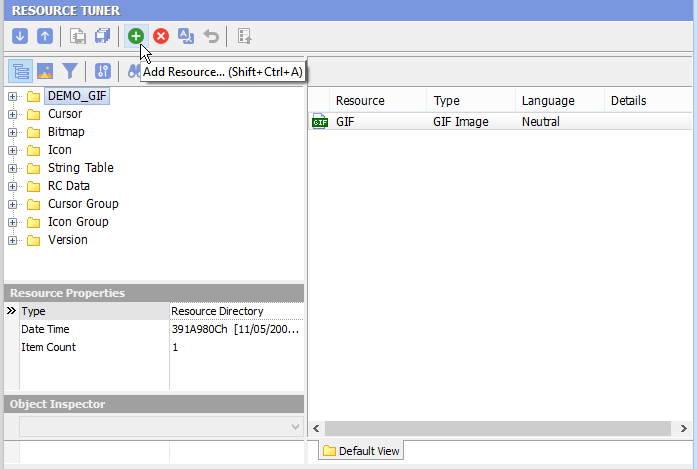
Resource Tuner will insert a manifest resource within the resource section of the EXE file. This simple step allows you to effortlessly transform your legacy applications, such as Delphi, Visual Basic, Visual C, etc., into applications with a modern Windows XP-like appearance.
The Manifest Wizard makes the entire process straightforward and user-friendly. Just follow the instructions and provide the necessary information in the provided fields.
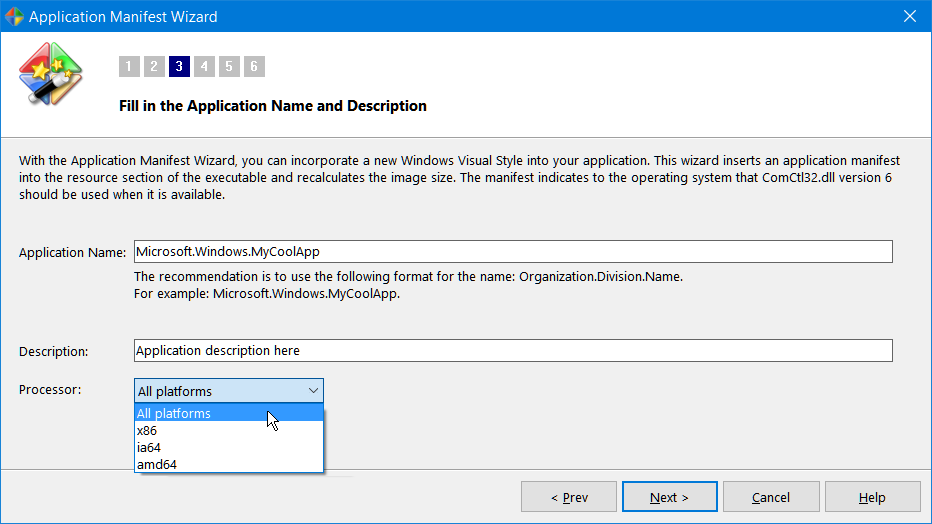
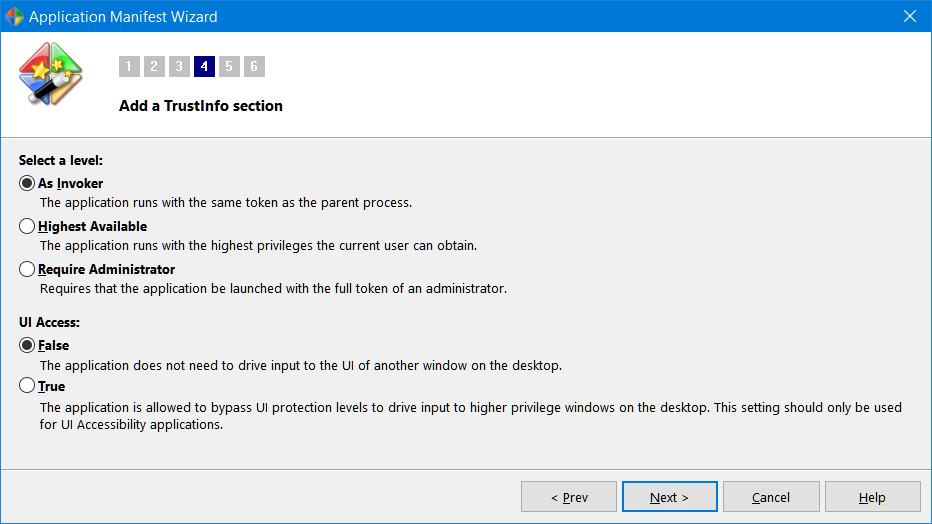
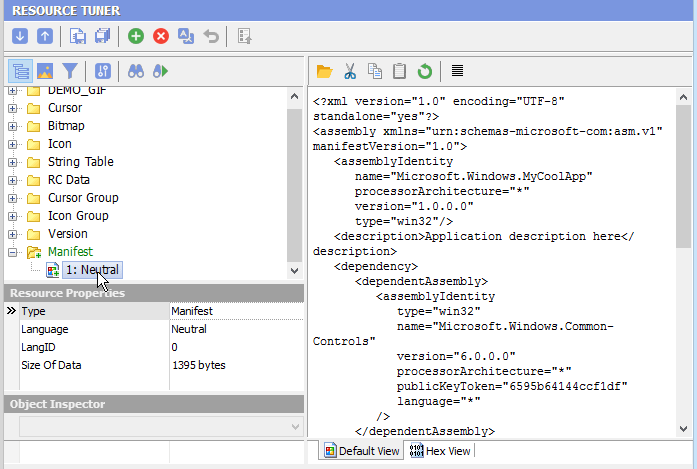
After the Wizard has finished creating the manifest, you will find the newly generated manifest resource displayed in the Resource TreeView:

Start Tuning Your Applications Now!
 Give Resource Tuner a trial run for 30 days free! Once you try it, we think you will find it hard to go back to other resource hacking utilities. For maximum editing and inspecting power, purchase a Personal license now for $49.95. The Business license is available for $89.95.